My CPD / CE
Your CPD / CE page shows the continuing professional development (or continuing education) credit you have earned for taking part in an event. You earn points by checking in to in-person sessions, attending live-virtual sessions, watching on-demand recordings, or logging an external activity. Those points build toward the requirements of each program, and once you meet them you get a certificate you can download and share.
For example, if you attend a medical college's annual conference, every session you attend adds points toward that year's requirement. When you have enough, your certificate becomes available to download.
Before checking your progress, make sure:
- You are signed in - your CPD / CE log is tied to your account, so your points and certificates follow you across events run by the same organizer.
- CPD is in use for you - My CPD appears in the menu only when an organization you are part of is running CPD, or you already have CPD history with it. You do not need to be an organization member: attending a credit-bearing event is enough. If an organization later turns CPD off, your history stays visible.
Me > My CPD
In the mobile app, open My CPD log from the account screen. Your certificates have their own screen, My Certificates, on the same screen.
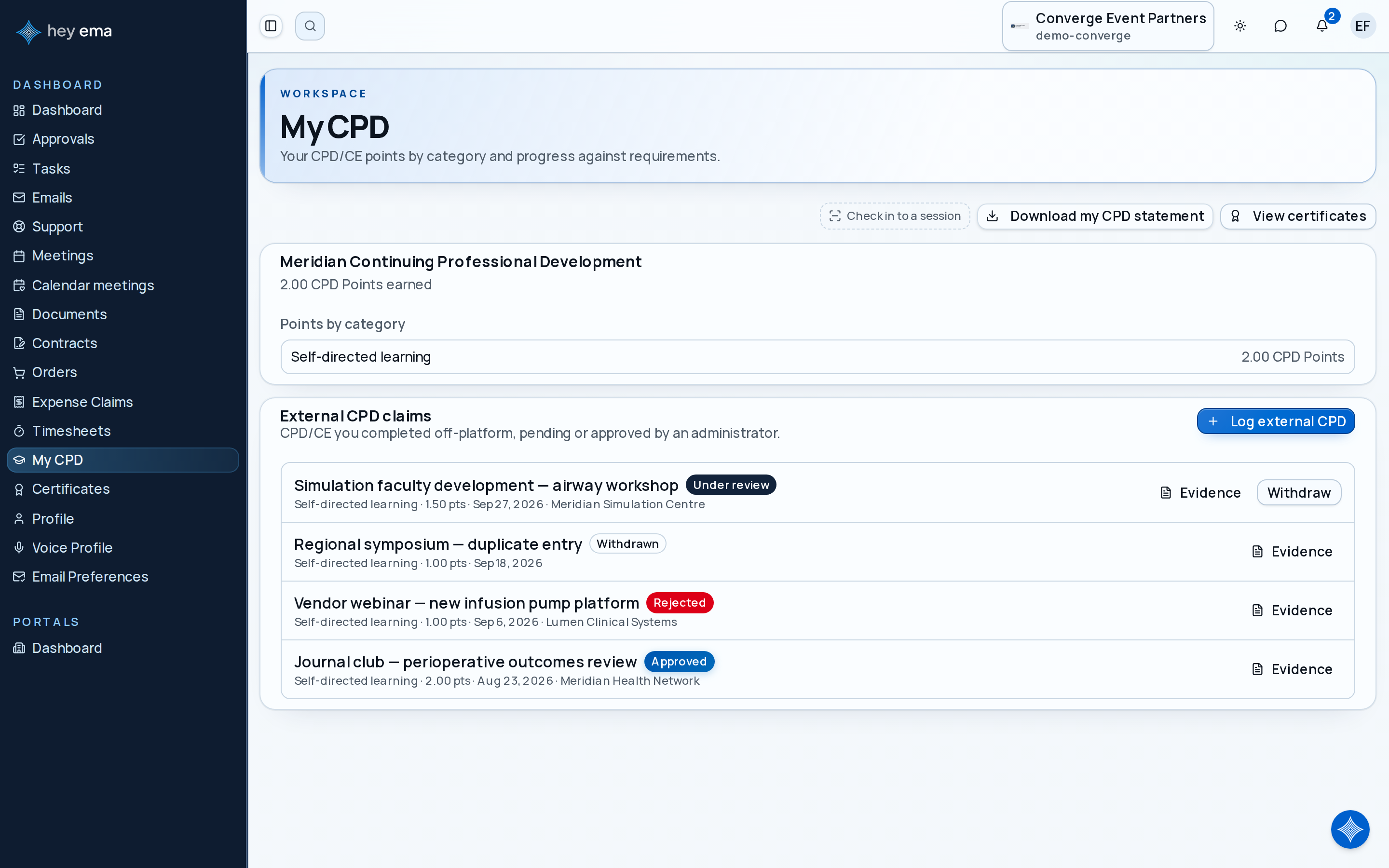
My CPD has three tabs, on the web and in the app: Progress, Activity and Claims. The Claims tab appears only when your organization accepts external CPD claims or you have already filed one.
Progress groups your programmes by organization. Activity lists every credit you have earned. Claims lists the external CPD you have logged. Open a tab directly with a link such as /me/cpd-log?tab=activity.
Progress
Each programme shows your current cycle against its requirement, with a bar for each category. Programmes that track cycles (such as a yearly requirement) also list Past cycles.
- Earned and required - how many points you have in the cycle, and how many you need. Where a programme has no set requirement, you see your totals instead.
- Caps - some categories or cycles have a maximum. A capped bar shows "capped at" the limit, which explains why your points stopped climbing even though you kept engaging.
- Needs your action - credit held until you complete a session survey appears here with a Complete survey link. If a session's survey is not reachable from the web, the note tells you to open the session in the event app or on the event site. Pending points are shown separately and do not count until released.
- Programmes tracked elsewhere - if the accrediting body's own membership system keeps the official record, the programme says so instead of showing cycle progress.
A cardiologist attends three sessions at the spring conference and two at the autumn one, all within the same annual cycle. Their Progress tab shows the cycle bar filling as each attended session is confirmed. Once the bar reaches the required points, their certificate for that cycle becomes available to download.
Points awaiting a survey are not lost - they are held until you finish the session's required survey. If your total looks lower than expected, check Needs your action on the Progress tab.
Activity
The Activity tab lists every credit you have, grouped by event and then an External CPD group for claims you logged. Each entry shows the date and time, category and points. Credit that is not yet counted carries a Pending or Awaiting survey badge. Filter by All, Earned, Pending or External, and by category.
Your Certificates
When you meet a program's requirements, ema issues a certificate. The certificates link on the Progress tab opens your certificates list, which shows each one with its title, program, total points, and issue date.
Me > Certificates
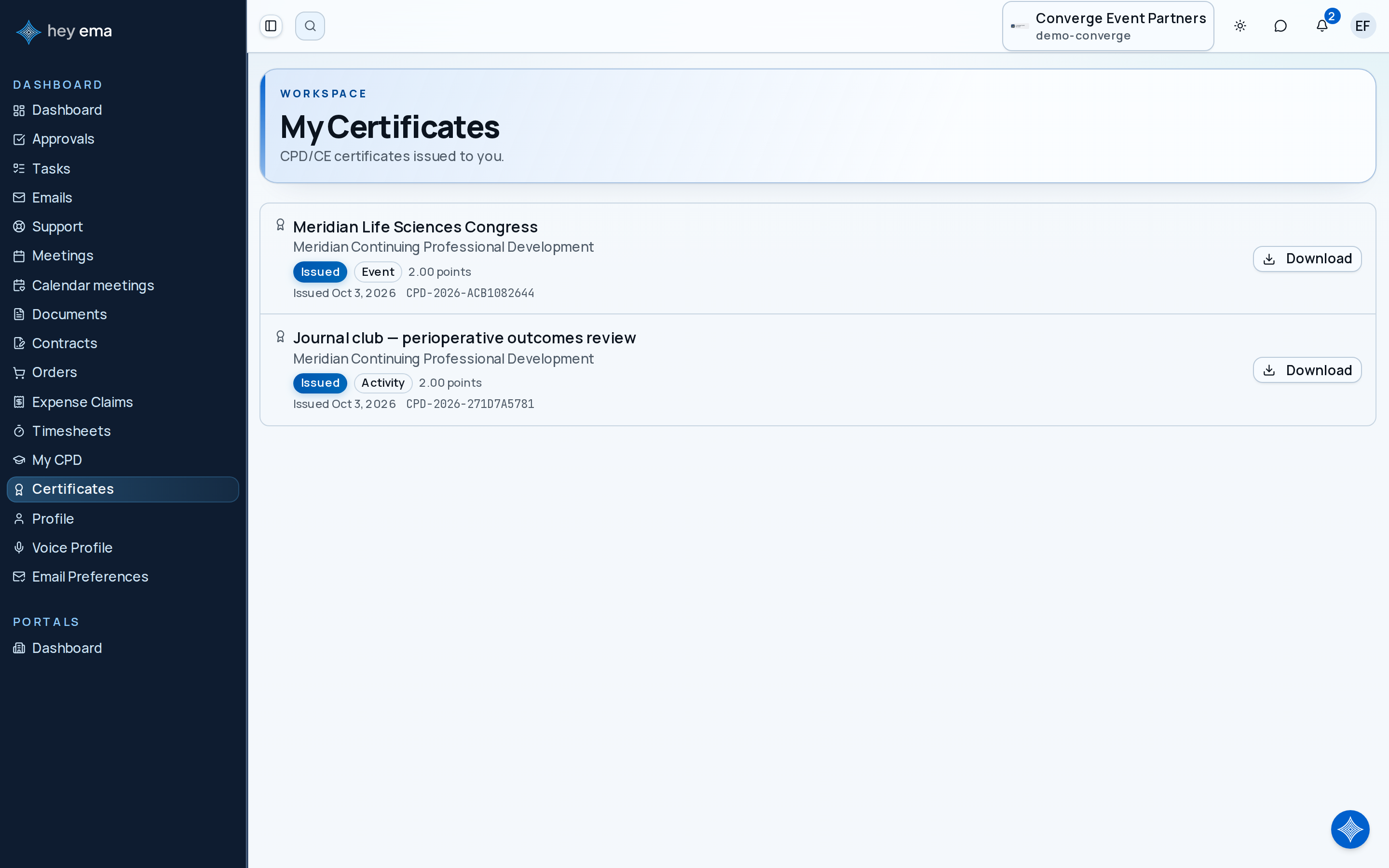
Viewing and Downloading
- Open your certificates list.
- Find the certificate you want.
- Select Download to open the certificate PDF.
Each certificate shows a status: Issued for the current certificate, Superseded when a newer version has replaced it (for example, after more points were added), or Void when it is no longer valid — so your list keeps the full history rather than hiding older versions.
Sharing a Verification Link
Every certificate carries a unique verification code. Anyone - an employer, a regulator, or an accreditation body - can confirm your certificate is genuine by visiting its verification page, without needing to sign in. The verification page shows the issuing organization, the program, your name, the points earned, the category breakdown, and the issue date.
Whoever opens your verification link sees a confirmation that the certificate is valid, along with the program, your name, the total and per-category points, and the issue date. If a certificate has been replaced by a newer version or voided, the page shows that status instead, so a stale certificate cannot be passed off as current.
Exporting a Statement
You can export a full CPD / CE statement that bundles your points and your issued certificates into one file — useful for your own records or for submitting to an accreditation body.
On the web, use the export menu on the Progress tab of My CPD to download the statement as a PDF or a CSV file.
In the mobile app, export it as a CSV file from My CPD log:
- Open My CPD log in the app.
- Tap the download icon in the top bar.
- Choose where to save or share the file.
The export waits until your certificates have finished loading so none are left out of the statement.
You can view your progress, download certificates, and export a statement on your own at any time. But you cannot change how points are awarded, adjust a requirement or cap, or reissue a certificate - those are controlled by the event organizer and your accreditation program. If a certificate is missing or your points look wrong, contact the organizer.
Related Guides
- Logging External CPD - record activity you completed outside this platform so it counts toward your totals.
- My Registrations - manage the registrations that grant you access to credit-bearing sessions.
Journey pages need an operator sign-in to open.
An attendee finds the event, registers, carries their pass and agenda to the venue, takes part, and leaves with their certificate and the recordings.
- Step 19 of 20Collect CPD credit and the certificateAttendee
- Attendance to CPD certificateDelivery
Verified attendance becomes accredited points and certificates.
- Step 6 of 8Attendee finds their own points and certificateAttendee