My Profile
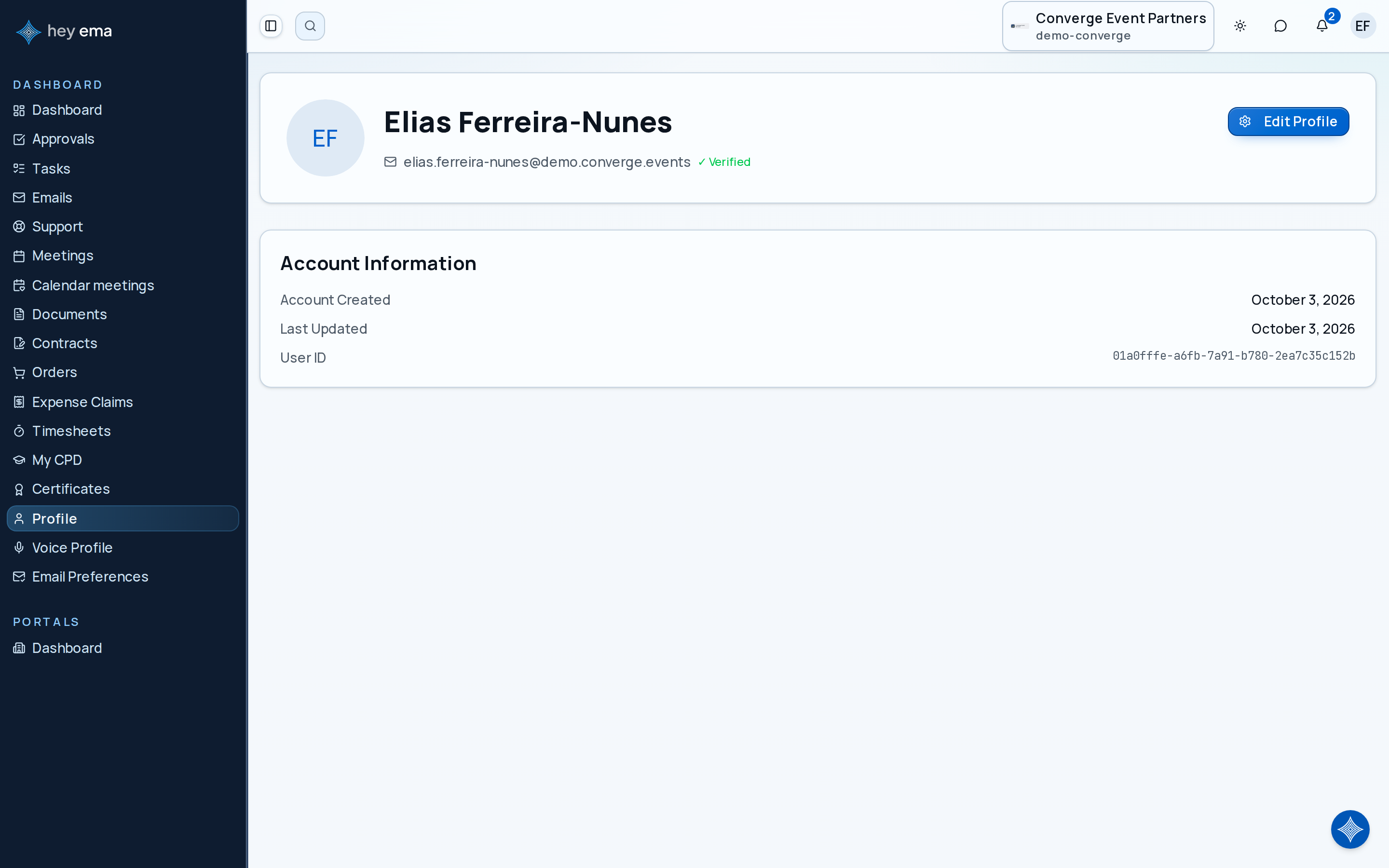
Your profile contains the personal information used across all ema portals. Whether you appear as a speaker, attendee, exhibitor contact, or client user, your profile is the single source for your identity. Updating it once updates it everywhere.
Me > Profile
Open Profile from the Me portal or from your account menu. If you reach it from an event-specific URL, ema redirects you to your shared profile page — profile information is not tied to any single event.
The older /profile/me address also redirects to Me > Profile.
A speaker updates their photo, job title, and bio before the event. The same details appear on their talk page, in networking search results, and beside comments, so attendees can recognize and contact them easily.
Profile Fields
Your profile includes the following fields, editable from Me > Account > Account:
| Field | Description |
|---|---|
| Title | An optional honorific (Mr., Ms., Mrs., Dr., Prof.). |
| First name | Your given name (required). |
| Middle name | Your middle name (optional). |
| Last name | Your family name. |
| Suffix | An optional suffix (Jr., Sr., II, III, IV, PhD, MD). |
| Your account email address. This is also your login identifier and isn't changed from your profile. | |
| Phone | Your contact phone number (optional), in international format. Once saved, a Marketing SMS opt-in toggle appears on the same form. |
| Company | The organization you represent. |
| Job title | Your role or position. |
| Bio | A short biography or description of yourself. Used on speaker pages, networking profiles, and event materials. |
| Pronouns | Your preferred pronouns (optional). |
| Location | Your city, region, or country (optional). |
| Birthday | Your date of birth (optional). |
All fields except email can be edited directly from the profile page.
Updating Your Photo
Your profile page at Me > Profile is a read-only summary. To change your photo, open Edit Profile (or go straight to Me > Account > Account) and upload a new picture in the Avatar section of the Profile Information form. Your photo is used across ema wherever your identity appears:
- Speaker profile pages and session listings.
- The attendee networking directory.
- Printed badges and name cards (if the event uses them).
- Comment threads and activity feeds.
Use a clear, professional headshot for best results. Any standard image format your browser can upload is accepted.
Your profile is shared across attendee, speaker, exhibitor contact, reviewer, and client roles. Write your bio and choose your photo with all of those audiences in mind.
Where Your Profile Appears
Your profile information is shared across all projects and portals you participate in:
- Speaker pages — if you are a speaker, your name, bio, photo, and job title appear on the event schedule and speaker directory.
- Networking directory — other attendees can find you by name, company, or interests when networking is enabled.
- Badges — your name, company, and registration type are pulled from your profile for badge printing.
- Comments and activity — your name and photo appear alongside any comments or updates you make.
Updating your profile once applies the changes across all of these contexts. You do not need to update information separately for each event.
Networking Profile
When networking is enabled for an event, a separate networking profile becomes available with additional fields — headline, extended bio, company, job title, industry, interests, skills, and what you're looking for at the event, plus LinkedIn, X/Twitter, and website links. Complete these fields before the event to make yourself discoverable in the attendee directory.
See Networking for how to manage your networking profile, visibility, and connections.
Account Security
Your account security settings are managed separately from your profile content, under Me > Account > Security:
- Password — if your account has a password set, change it from the Security section. See Signing In and Account Access for the full range of sign-in methods, which vary by organization.
- Active sessions — view devices and browsers where you are currently signed in, and revoke sessions you don't recognize.
Your email address is your permanent login identifier and isn't changed from the profile or account pages.
See Your Account Settings for the full account menu, including connecting your unified ema ("hey ema") account.
Voice Profile
If your organization uses voice-based meeting or session transcription, Me > Account > Voice Profile lets you record a short voice sample so ema can attribute transcribed speech to you by name. The page has four parts:
- Record a sample — record and submit a voice sample. Recording is paused while voice recognition is turned off.
- Privacy — turn voice recognition on or off, or permanently delete your voice data (this asks you to confirm before anything is removed).
- Recent enrollments — your past voice samples with their duration, recording date, and status.
- Recent activity — a collapsible history of what has happened with your voice data: samples you submitted, recognition being enabled or disabled, voice data deletion, admin reviews, and cross-organization matches. A Cross-org match recorded entry means ema matched your voice profile to speech in a recording made by an organization you do not belong to, so your name can be attached to your words there too.
Profile Sync Across Events
Your profile is global — it is not tied to any single event or project. When you register for a new event or are added to a new project, your existing profile information carries over automatically. There is no need to re-enter your name, bio, or photo for each event.
If an event requires additional information beyond your standard profile (such as dietary requirements or accessibility needs), those fields appear on the registration form, not on your profile page.
Keep your profile up to date, especially your photo and bio. These are the first things other attendees and event organizers see when they interact with you on the platform.