Organization Page
An organization page is the public front door for an event organizer. It shows the organization's name, logo, and branding, along with a directory of all the events they have published publicly. It is a handy way to find every upcoming event from an organizer you follow, without needing a direct link to each one. Organizations can also publish additional pages alongside the home page — an about page, a partners directory, or anything else the organizer wants to share — turning the organization page into a small multi-page website.
You might arrive here from a search engine, a link shared on social media, or a link in the organization's email footer.
Public organization URL
Open the organization's public link, which follows the pattern heyema.com/organization-name. (The older heyema.com/org/organization-name address redirects there permanently.) The organization's own website or social profiles usually link to it.
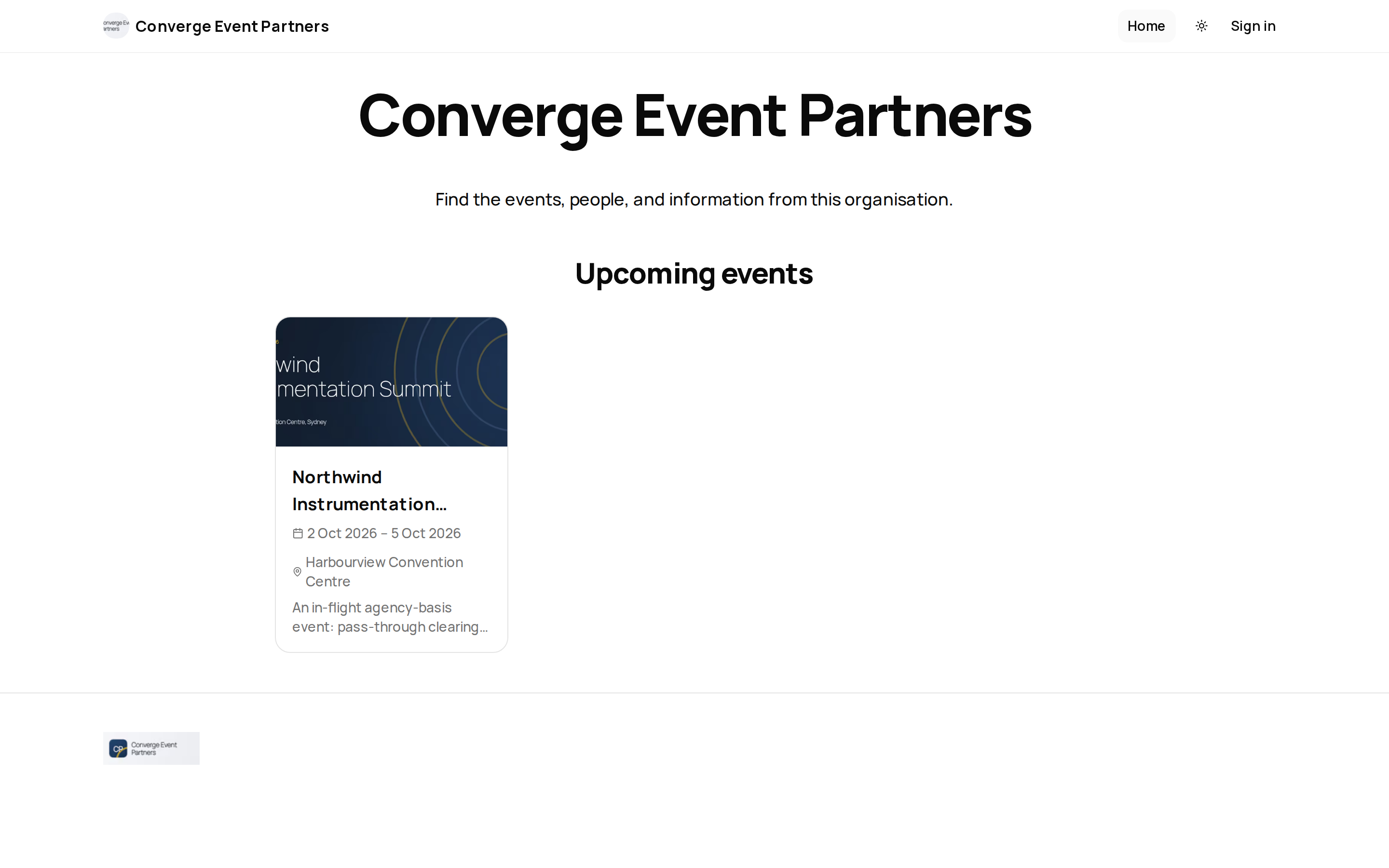
What You See
The page content is whatever the organization has built with the page builder — typically an events carousel showcasing their events, styled in the organization's own branding.
Each event in the carousel links straight to that event's public page, where you can read the full details and register.
Each event card opens the event's own public page. See Public Event Pages for what an individual event page shows.
Event Hub Features
Some organizations and sites build their hub as a member-facing Event Hub. Depending on how the organizer set it up, you may see:
- A welcome message — greets you by first name when you are signed in and shows a general welcome otherwise.
- A featured event — one highlighted event with a countdown to its start and a button to open it.
- Event cards — events as cards showing the event's category, whether it is virtual, in person or live, its dates, start time, location and a short description. Where the organizer shows CPD points, a card shows the points on offer. When you are signed in, a card can show a Registered or Waitlisted badge for events you already have a place in. The button reads Register when registration is open to you and View event otherwise.
- An On Demand library — recordings of past sessions as cards, with an access label (Complimentary or Paid), a Sign in to watch label where a recording needs you to be signed in, the recording date and length, any CPD points, and a Watch button that opens the session. The library can have its own search box and be grouped into sections.
- A Browse events sidebar — links the organizer chose, shown beside the page (in a slide-out panel on small screens).
- A search button in the header — opens Search the hub, where typing at least two letters searches events and On Demand sessions together. Past events are included in the results.
None of these are always present: each appears only if the organizer added it, and a block with nothing to show — for example an On Demand library with no matching recordings — is hidden from the page.
Sub-Pages
Beyond the home page, an organization can publish sub-pages that render at heyema.com/organization-name/page-slug. Each sub-page is its own page-builder canvas — a common example is an "About" page for the organization's whole event portfolio, or a directory that spans multiple conferences. Sub-pages appear in the organization's navigation menu when the organizer adds them there; otherwise you reach them by a direct link.
Every sub-page carries its own search-engine title, description, and social-share image, set by the organizer in the page builder — so a link to a sub-page previews correctly when shared, not just the organization's home page metadata.
A sub-page can be gated to signed-in users only — for example, a partners or member-resources page. If you follow a link to a gated page while signed out, ema takes you to sign in first and returns you to the page afterward. A missing or unpublished page shows the organization's home page instead of an error.
An association that runs several regional conferences under one organization publishes an "About Us" sub-page describing its mission, alongside the home page's events carousel. A visitor who lands on the home page from a search engine can navigate to /the-association/about from the menu to learn about the organization before checking which of its events is coming up next.
Sign-In May Be Required
By default the organization page is public — you do not need an account to view it. Organizations can also restrict their page (or an individual sub-page) to signed-in users; if you are asked to sign in when opening one, that is why. Only events the organizer has chosen to make public appear in the home page's carousel; private or unpublished events are not listed, and if there is nothing public to show the carousel simply does not appear on the page.
Related
- Public Event Pages
- Registering for an Event
- Organization Hub - how organizers build and manage the home page and sub-pages
- Hub Navigation - how sub-pages get added to the menu
Journey pages need an operator sign-in to open.
- Build the public siteStand-up
Pages are built, linked together with navigation, made findable, and published as the site visitors and search engines actually see.
- Step 8 of 10A visitor finds the organisation and browses its published eventsAttendee
An attendee finds the event, registers, carries their pass and agenda to the venue, takes part, and leaves with their certificate and the recordings.
- Content afterlifeClose
Recordings and materials keep earning after the event.
- Step 6 of 7Attendee catches up on what they missedAttendee