Speaker Q&A Inbox
The Q&A Inbox collects questions from attendees directed at your talks and sessions. All questions for your speaker profile appear in one list regardless of which session they came from.
Me > Speaker profile > Q&A Inbox
Open your speaker profile and select the Q&A Inbox section.
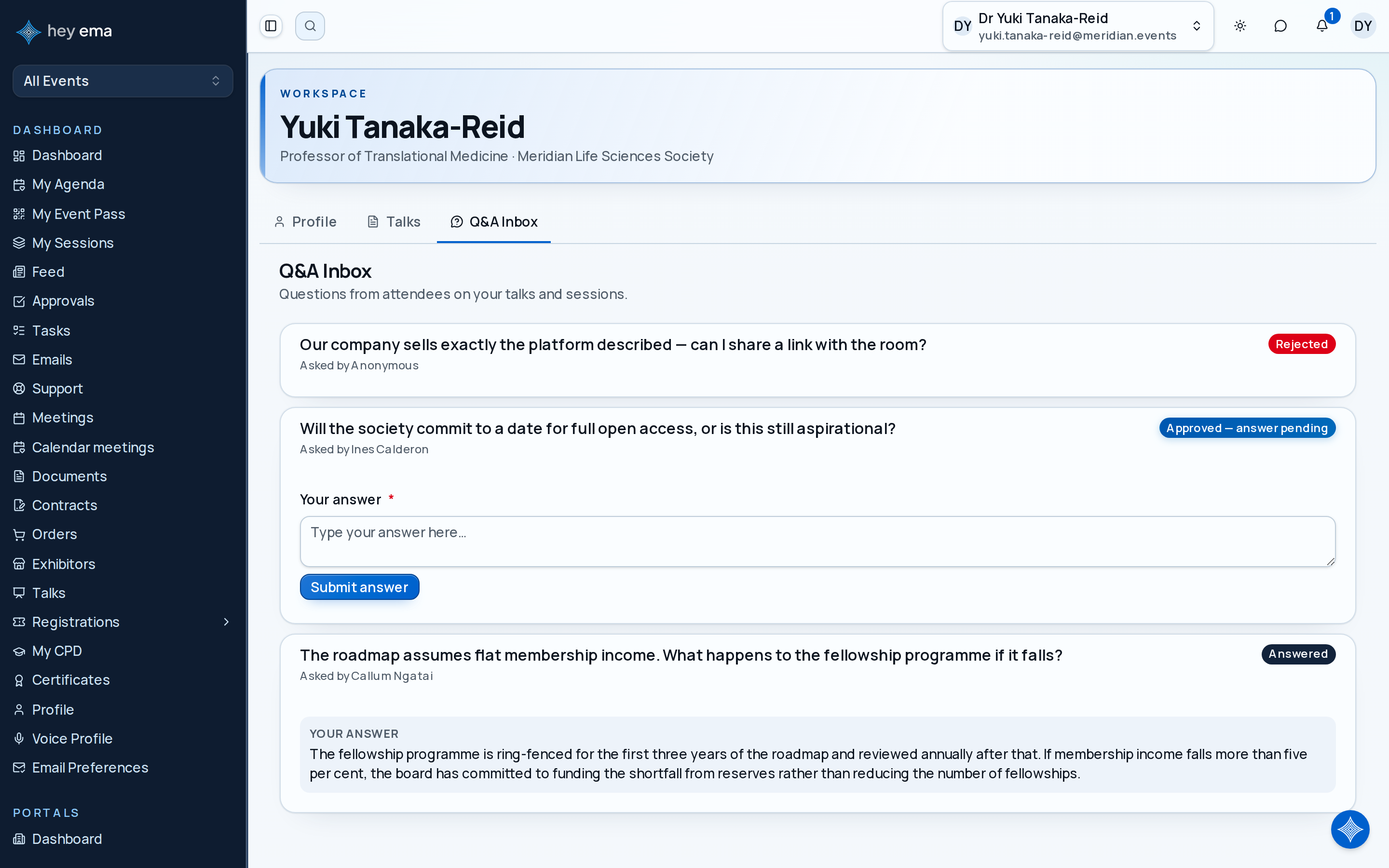
What appears here
Questions attendees have submitted on your sessions — for example from the Q&A tab on a session in the attendee portal, or from an ePoster kiosk. Each question shows the question text, who asked (a name, or Anonymous), and a status badge. Once you answer a question, your answer appears beneath it under Your answer.
Question statuses
| Status | Meaning |
|---|---|
| Awaiting moderation | The question has been submitted but the event team has not reviewed it yet. |
| Approved — answer pending | The event team has approved the question and it is waiting for your written answer. |
| Answered | You have submitted an answer. |
| Rejected | The event team removed the question (e.g. duplicate or off-topic). |
Answering a question
Questions with the status Approved — answer pending show an answer form below the question text. Type your answer and click Submit answer. Your answer is then visible alongside the question.
You cannot answer questions that are still awaiting moderation or have been rejected.
When the inbox is empty
If no attendee questions have been submitted yet, the inbox shows a No questions yet empty state. Questions appear as attendees submit them during and after your sessions.
Check your work
- Your submitted answer appears under Your answer on the question, and the status badge changes to Answered.
- If you expected a question that isn't listed, check with the event team — questions still awaiting moderation are visible to you, but the team may have rejected off-topic or duplicate ones.