Exhibitor Info
The Company info section of the Profile tab shows your exhibitor company's profile details and contacts. It is a read-only summary — to change any of these details, ask your event organizer.
Me > Exhibitors > [Your company] > Profile > Company info
Open Profile and read the Company info section at the top to review the core company details the organiser and attendees see across the event.
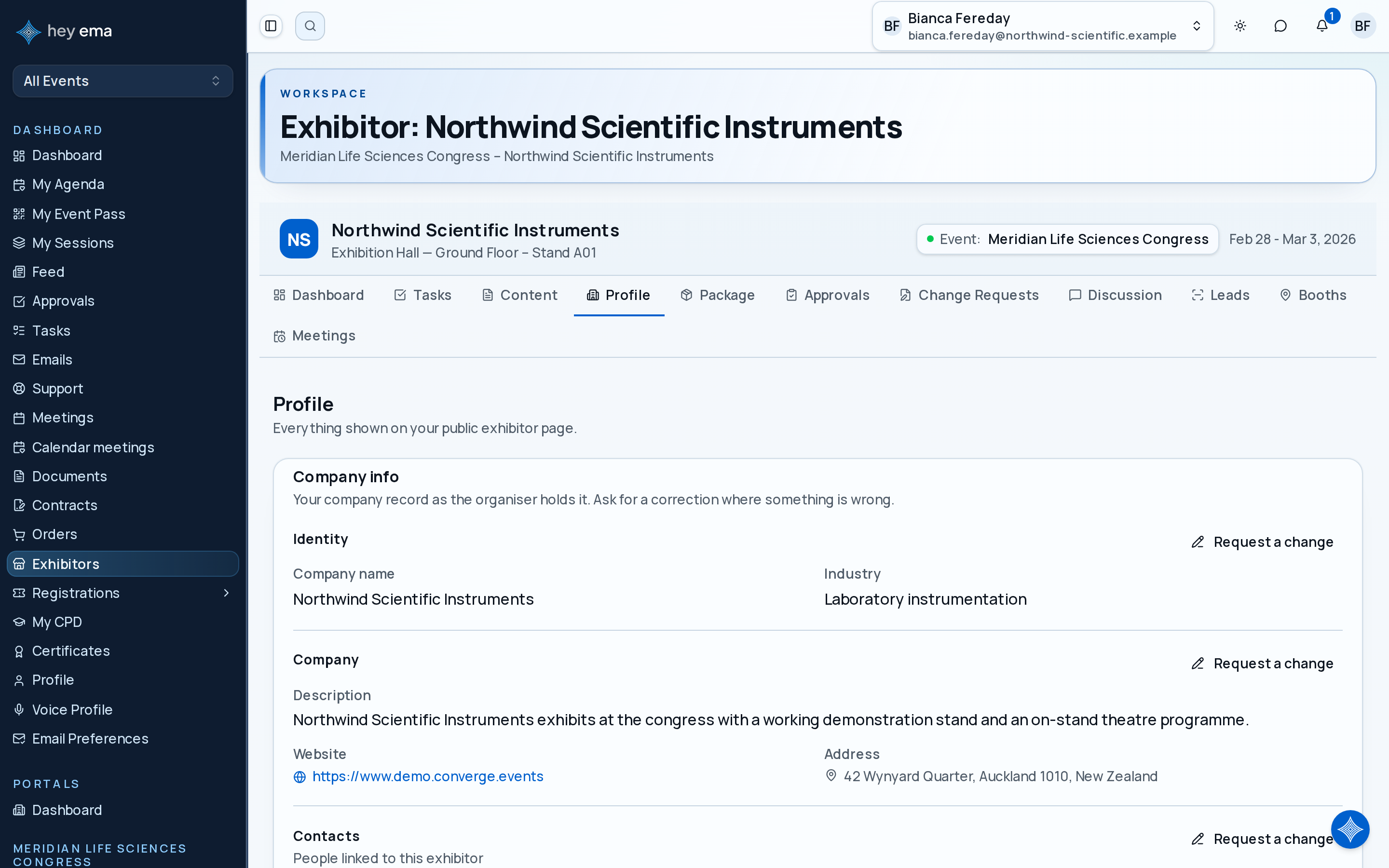
Profile Fields
The Company info section shows:
| Field | Description |
|---|---|
| Company name | Your organization's display name. |
| Description | A text description of your company. |
| Industry | Industry classification. |
| Website | Your company website, shown as a clickable link. |
| Contact address | Physical or mailing address on file for your company. |
There is no way to edit the fields above yourself from the portal. If any of this information is out of date — including your social links or contact details — ask your event organizer to update it.
Your logo, cover image, tagline and brand colors are the exception: you set those yourself in the Branding section further down the same tab.
Attendees may see your company name, description, website, industry, team members, showcase items, and booth details on public event pages.
Booth Details
If a booth has been allocated, your hall and stand number appear in the portal header above the tabs, and the full booth record (hall, stand number, and area) is on the Booths tab. Booth assignments are managed by the event administration team.
Use Booths or Change Requests if you need to review the floor plan, select an eligible booth, or ask for a booth change.
Contacts
The people who have portal access to manage this exhibitor's profile, tasks, and leads are listed here. Contacts are invited by your event organizer, not from this page.
See Exhibitor Management for how organizers add or remove exhibitor contacts.