Choose Your Presentation Mode
Tell the organiser how you will present each talk so the room crew can prepare the right handover. Your choice belongs to your own presenting participation: another panel member can choose a different mode.
Me > Talks > Open your talk > Authors & Speakers
Sign in with the account linked to your presenting participation. A co-author who is not presenting cannot make a presentation-mode declaration just by sharing the talk. If you cannot see your own choice, ask the programme office to check your assignment.
Your presentation card shows your current mode and whether editing is available. Undeclared means you have not chosen yet; the room plan treats it as in person until you make a choice.
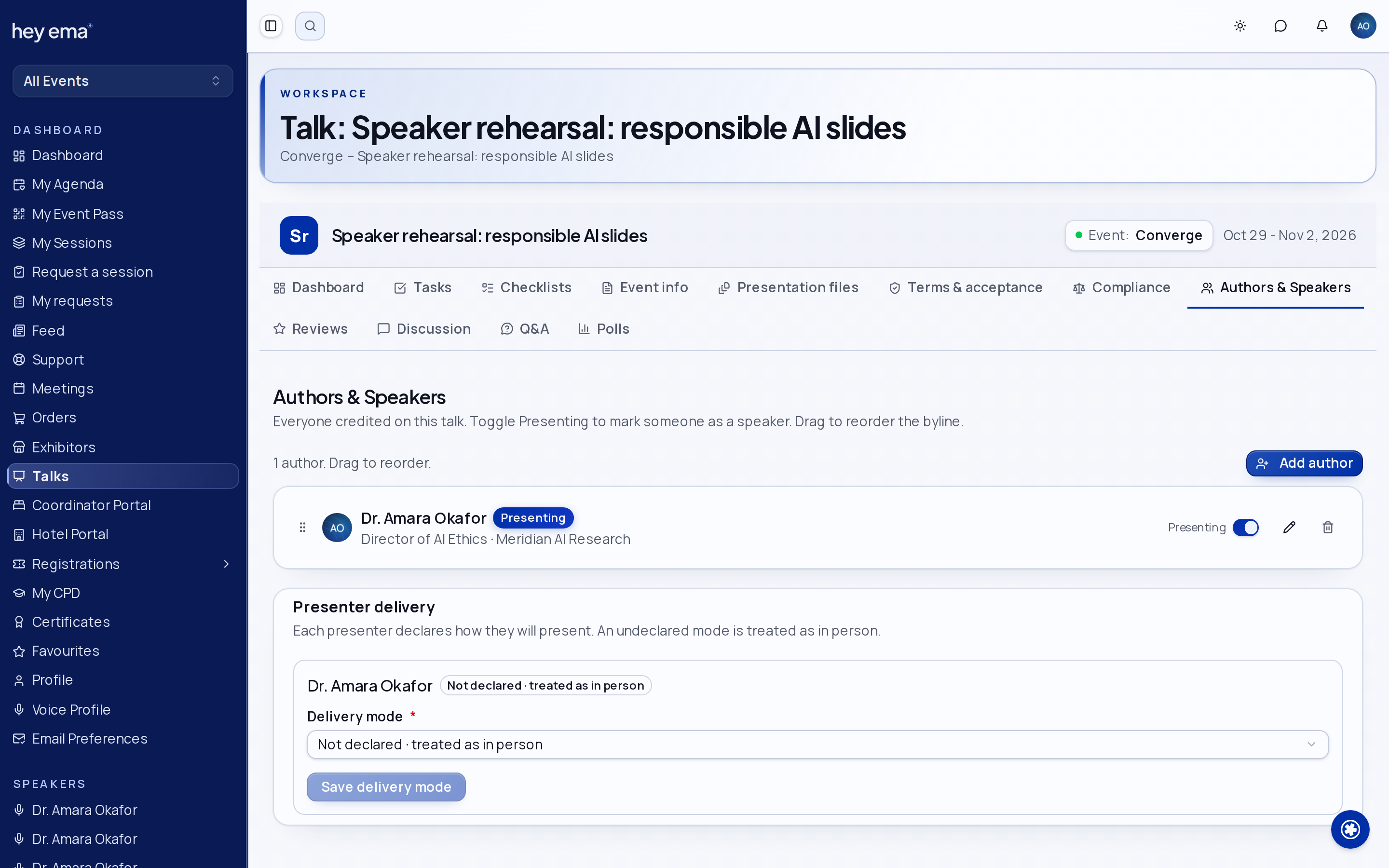
Record Your Choice
- Choose In person, Pre-recorded or Virtual in Delivery mode under Presenter delivery.
- Save the choice.
- Reopen the Authors & Speakers tab and check that your saved mode appears.
The event's deadline is shown in its timezone. Editing closes at the exact deadline, or earlier when the organiser locks the choice or the talk. A failed save keeps your draft; contact the organiser if you need a correction after editing closes. Only an organiser can clear a saved choice back to undeclared or remove an organiser lock.
Prepare a Recording or Remote Connection
After a saved Pre-recorded choice, follow the recording guidance to Presentation files and use one of the organiser's video upload slots. The page names the actual configured slots. If none is available, contact the programme office rather than putting a recording in an unrelated file slot. See Talk Documents.
After a saved Virtual choice, Open session meeting appears when the event has made an eligible hosted session meeting available to you. A repeated talk may offer more than one session. Open the meeting for the correct occurrence and follow the organiser's joining instructions. If there is no link, contact the programme office; choosing Virtual does not create a meeting or grant new access.
An In person choice does not say whether you will use your own laptop, upload slides or need additional equipment. Those remain separate preparation choices on Presentation files.
Reminders
If your choice is still undeclared and editable, the event may remind you before its deadline. Your notification preferences apply. Open the notice to return to your own Authors & Speakers tab. In the mobile app, the notice opens the authenticated event portal; public speaker profiles do not let you change a person's presentation mode.
You choose Virtual while your co-presenter chooses In person. The programme team sees both choices and can arrange the remote connection without changing your co-presenter's plan.
Check Your Work
- Your saved mode is visible after reopening the talk.
- For a recording, the requested file is uploaded into the intended video slot.
- For a virtual presentation, you have the correct session meeting or have contacted the programme office about the missing link.
- Your technical requirements and any laptop or slide-upload choices are still correct.
Programme organisers manage deadlines, follow-up and locked corrections from Programme operations.