Getting Started as an Exhibitor
Welcome to ema. As an exhibitor, you have a dedicated portal to manage your company profile, booth details, team members, tasks, entitlements, contracts, leads, and deadlines. This guide helps you get oriented quickly so your event presence is ready before attendees start browsing.
Invitation email > Exhibitor portal
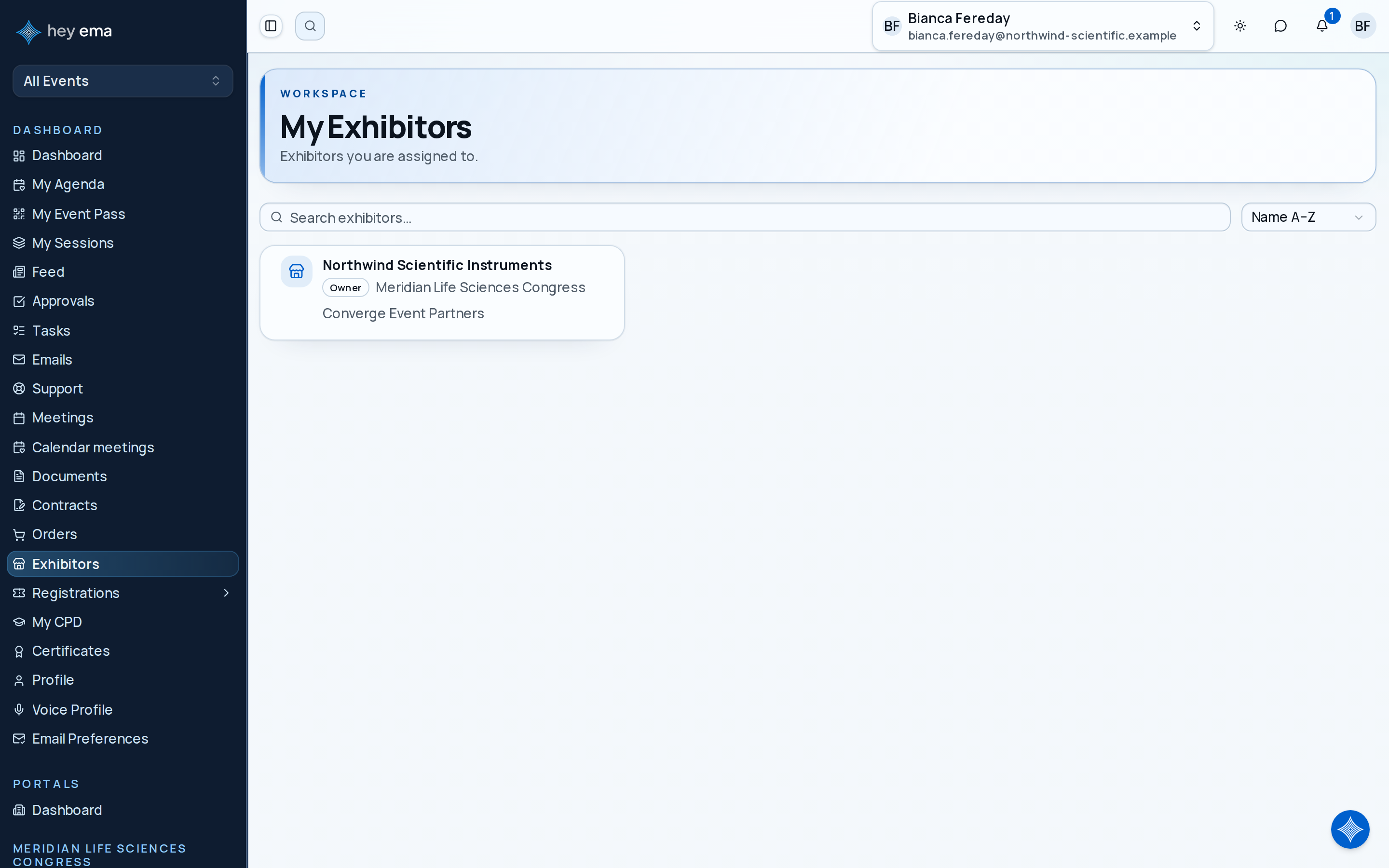
Use the invitation link from your event organiser to create your account or sign in. After signing in, open Me > Exhibitors and choose your exhibitor company.
What You'll Learn
- How to sign in to the exhibitor portal
- What each tab of the portal is for
- How to complete your exhibitor profile
- How to view your package entitlements and buy more
- How to review quotes, contracts, and required signing steps
- How to find your booth and request changes
- What Admin and Booth staff team members can each do
Signing In
You'll receive an email invitation from the event organizer, or a team admin at your company may add you to the exhibitor team. Click the link and sign in with the email address the invitation was sent to — ema emails you a 6-digit code to enter, and there's no password to set. On later visits you sign in with a fresh emailed code, or through your organization's SSO or hey ema account if it uses one. See Signing in and account access for the full detail.
If you manage more than one exhibitor company or event, open Me > Exhibitors and choose the company you want to work on.
Your Portal
| Area | What It Does |
|---|---|
| Dashboard | Your overall progress — tasks, checklists, and content acknowledgements still outstanding — plus key stats like captured leads |
| Tasks | Required work assigned by the organiser, with a toggle to the checklists view |
| Content | Organiser-published information for you to review and acknowledge |
| Profile | Everything shown on your public exhibitor page — company info, branding, team, showcase, reasons to visit, and resources |
| Package | What your package includes (entitlements) and how to get more — add-ons and tier upgrades when the organiser has enabled them |
| Registrations | Your team's event passes — claim links, direct assignment, and release. Only appears when your package includes passes |
| Approvals | Approval requests you raised or were asked about, which the event team reviews and decides. See Exhibitor Approvals |
| Change Requests | Requests to change your exhibitor details — you can submit a booth change, a profile update, or a cancellation, and track the event team's decision |
| Discussion | Your conversation with the event team about your needs — the place to ask questions |
| Leads | Leads captured by your team during the event |
| Booths | Your assigned stand and floor plan, with booth selection if the organiser has enabled it |
| Meetings | Whether attendees can book demo meetings with you, and where they happen |
Your First Task: Complete Your Profile
Have your company logo and banner images, short company description, and any organiser-requested documents ready before you start. This makes the first setup pass much quicker.
Step 1 - Open the Profile tab
Open Profile in the portal sidebar. Everything on this tab feeds your public exhibitor page.
Step 2 - Check your company details, then build out your page
Read the Company info section at the top and confirm your company name, description, logo, website, and contact details are right — these are maintained by the organiser, so if anything is wrong, ask them to update it. The parts you manage yourself are the sections below it: Branding, your booth Team list, Showcase items, Why Visit reasons, and Resources. This is what attendees will see.
Step 3 - Review required work
Open Tasks for any documents, forms, acknowledgements, or setup actions the organiser requires — the checklists view on the same tab covers checklist items. Each item shows its deadline and current status.
Check Your Package
Open Package. The Entitlements section shows what your package includes and how much has been used — staff passes, meeting slots, booth services, sponsored placements, and other benefits. If you need more than your package includes, the Add-ons and Tier upgrade sections further down the same tab let you buy extra benefits or move to a higher tier, when the organiser has enabled self-service purchases.
See Exhibitor Entitlements and Exhibitor Add-ons and Upgrades.
Use an add-on when you only need one extra benefit, such as another staff pass or meeting slot. Use a tier upgrade when a higher package would better match your overall presence at the event. Both live on the Package tab and only appear when the organiser has enabled self-service purchases. Add-ons go into a cart you can fill with several items before you choose Proceed to Checkout; an upgrade shows a price preview first and goes to the same checkout when it has a price. Your package changes only after payment completes.
Review Quotes and Contracts
Quotes arrive by email from the organiser. Open the quote link to review the package, optional items, discounts, attachments, and total before accepting.
Contracts where you are a signer are listed on the My Contracts page in the Me portal; if your dashboard shows a contract card, its View contract button opens it. From there, request a signing link, review attachments, and complete your required fields.
If ema asks you to Verify your email to continue while accepting a quote or checking out, choose Send verification code, enter the code from your inbox, and the purchase carries on.
See Exhibitor Contracts and Quotes.
Confirm Your Booth
Open Booths to view your assigned stand and floor plan. If booth selection or change requests are enabled, use the portal to choose an eligible booth or request a change.
See Booths and Change Requests.
Check your booth before ordering signage, furniture, freight, or electrical services. Booth changes may affect what you can bring onsite and which deadlines apply.
Who Can Do What on Your Team
Each person on your exhibitor's team signs in with one of two access levels, set by an exhibitor admin or by your event organiser:
- Admin — manages the team and their access, edits Branding, Showcase, Why Visit and Resources, reviews and exports leads, and changes meeting settings.
- Booth staff — captures and reviews leads, views the profile and meeting settings, and edits their own team card.
Controls you cannot use are hidden rather than shown disabled, so if something described here is missing for you, ask an exhibitor admin on your team. See Team Members and the Exhibitor Portal overview.
Key Concepts
| Term | Meaning |
|---|---|
| Compliance item | A document, form, or certification the organizer requires from you before the event |
| Floor plan | An interactive map of the venue showing booth locations, dimensions, and numbering |
| Exhibitor portal | Your self-service area for managing everything related to your booth |
| Deadline | A date by which a compliance item must be submitted |
| Entitlement | A benefit included in your package, such as staff passes, meeting slots, or sponsored placement |
| Add-on | An extra benefit you can buy after joining, if the organiser has enabled self-service purchases |
| Quote | A commercial offer from the organiser that you can review and accept |
| Contract | An agreement that may require your signature before your package is complete |
Check Your Work
You are ready for the event when:
- Your Profile tab shows the branding, team, showcase items, and reasons to visit you want attendees to see.
- Tasks shows no outstanding required work — or you know each deadline and have a plan for it.
- Package confirms your entitlements match what you expect, and any add-ons or upgrades you need are ordered or requested.
- Your booth on Booths matches what you have planned signage, freight, and services around.
- Any contracts waiting on your signature are signed under My Contracts.
- Your team members each have the right access level — Admin or Booth staff — on the Team list.
Where to Go Next
Journey pages need an operator sign-in to open.
An exhibitor completes their own obligations unaided.
- Step 1 of 14Exhibitor signs in for the first timeExhibitor