Getting Started as a Speaker
Welcome to ema. As a speaker, you can submit talk proposals, keep your speaker profile up to date, and work through the preparation tasks for your accepted talks. This guide walks you through the basics.
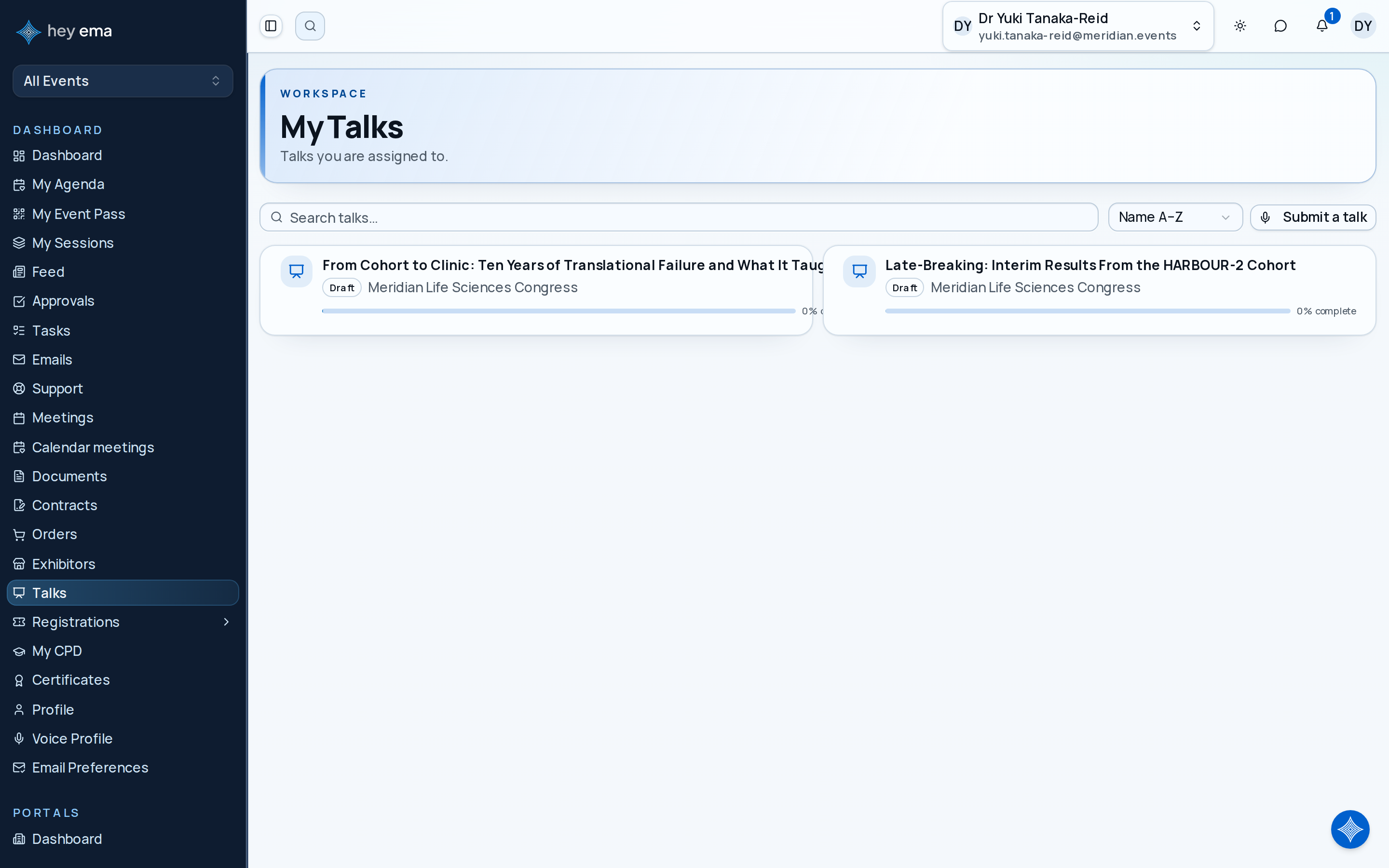
Invitation email > submission form, or Me > Talks
Use the submission or speaker invitation link from the organizer. After sign-in, open Me > Talks to see every talk you're an author or speaker on and to start a new submission.
What You'll Learn
- How to sign in to the speaker portal
- How to submit a talk proposal
- How to update your speaker profile
- Where your talk preparation tasks live
- How to edit, withdraw, and upload materials for a talk
Signing In
You'll receive an email invitation from the event organizer. Click the link to claim your invitation — if you're asked for a 6-digit code, ema emails it to you at that point; there's no password to set. Organizations that use SSO or a hey ema account send you through that sign-in instead. If you've been invited to submit a talk, the email will link directly to the submission form. See Signing in and account access for the full detail.
Your Portal
| Area | What It Does |
|---|---|
| Me > Talks | Every talk you're listed on as an author or speaker, across your events — with its submission stage, status and completion, plus a Submit a talk action. It appears when you have a talk at an event, or when an event's call for submissions has started with a submission form available (see When Features Appear) |
| Speaker profile (under the event in the Me sidebar) | Your bio, title, and contact details as they appear on the event programme, plus a Q&A Inbox tab for attendee questions |
| Talk dashboard (open any talk) | Completion progress, the Submission card, the committee's decision once there is one, and tabs for tasks, checklists, Event info, Presentation files, Terms & acceptance, Compliance, Authors & Speakers, Reviews, Discussion, Q&A and Polls |
Your First Task: Submit a Talk
Prepare your talk title and abstract before opening the submission form. The organizer defines the rest of the questions, so skim what's asked before you start writing.
Step 1 — Start a new submission
Click Submit a talk in Me > Talks — it opens the event's submission form. If you belong to several events with an open call for papers, pick the event first. The submission link in the organizer's email opens the same form.
Step 2 — Fill in the form
Complete the submission form. The organizer sets the questions; you'll pick a track and format when the event uses them.
Step 3 — Submit
When you're ready, submit the form. Depending on the event's setup, your proposal either goes straight to the review committee or is saved as a draft for you to finish — the confirmation page tells you which, and the organizer notifies you of the outcome.
A speaker proposes a 90-minute workshop for the Leadership track, finds the confirmation page saved it as a draft while co-speaker details are still open, then finishes and submits once everything is ready.
After You Submit
Open the talk from Me > Talks to reach its dashboard. From the Submission card you can:
- Submit for review — while the talk is a draft or withdrawn. It stays blocked until the checklists the organizer requires for submission are complete.
- Edit submission — change the title, abstract and full description while editing is allowed and the submission window is open.
- Withdraw submission — take a submitted talk out of review. While the window is open you can edit and resubmit it.
Once the programme committee decides, a decision card on the dashboard shows whether your talk was accepted, rejected or waitlisted, with the committee's reason when they chose to share one. See Talk Dashboard.
Upload Your Presentation
After acceptance, upload slides and other materials on the talk's Presentation files tab, or through an upload link the organizer emails you. Each file type has its own card with the organizer's instructions, allowed file types and size limit; a Required badge means the talk is not complete until it has a file, and a Due date shows when uploads close. One emailed link can cover several file types, with a separate card for each. See Talk Documents.
Key Concepts
| Term | Meaning |
|---|---|
| Talk | A presentation or session you propose to deliver at the event |
| Track | A thematic grouping that organizes the programme |
| Abstract | A summary of your talk that reviewers and attendees will read |
| Session | A scheduled time slot in a specific room — your talk is assigned to a session once accepted |
Check Your Work
After submitting, your talk appears in Me > Talks with its submission stage (Draft, Submitted, Under review, Accepted, Rejected, Waitlisted or Withdrawn). If the confirmation page said the proposal was saved as a draft, it is not with the review committee yet — finish and submit it when you're ready.
Where to Go Next
- My Talks — every talk you're assigned to as an author or speaker
- Submitting a Talk — the full submission process in detail
- Talk Dashboard — completion status, submit, edit and withdraw actions, and the committee's decision
- Talk Documents — uploading presentation files
Journey pages need an operator sign-in to open.
A confirmed speaker has consented, handed over materials that will play, and knows their slot.
- Step 1 of 13Get the speaker into their portalSpeaker